
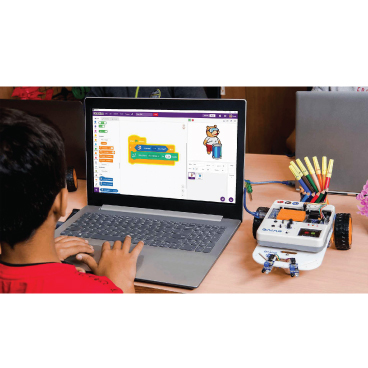
Scratch - Pictoblox
Block-based coding, such as Scratch, is a type of visual programming language that allows users to build programs by dragging and dropping blocks of code, rather than writing code in a text-based programming language. Some benefits of block-based coding include:
• Easy to learn: Block-based coding is often easier for beginners to learn than text-based programming languages. This is because blocks are visual and can be manipulated directly, rather than having to write code in a specific syntax.
• Builds problem-solving skills: Block-based coding encourages users to think creatively and work through problems in order to create programs.
• Encourages collaboration: Block-based coding tools often have features that allow users to share their projects and collaborate with others.
• Fun and engaging: Block-based coding is often designed to be fun and engaging, making it a great way to introduce children to coding.
• Develops computational thinking skills: Block-based coding helps users develop computational thinking skills, which are important for understanding how computers work and how to solve problems using technology.
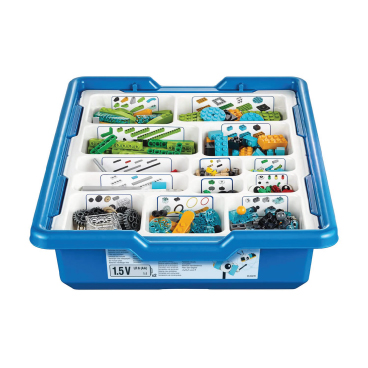
WeDo 2.0
LEGO Education WeDo 2.0 is a physical computing kit that consists of LEGO bricks and a set of electronic components, such as motors and sensors. It is designed to introduce young students to the principles of science, engineering, and coding. Some benefits of learning with WeDo 2.0 include:
• WeDo 2.0 includes a variety of models and lesson plans that are designed to engage students and teach them about science, engineering, and coding.
• WeDo 2.0 includes a Bluetooth-enabled hub that can be used to control the electronic components and program the models using a tablet or computer.
• WeDo 2.0 includes a set of sensors, such as a tilt sensor and a motion sensor, that can be used to add interactivity to the models.
• WeDo 2.0 includes a set of building instructions and activities that can be used to introduce students to concepts such as loops, variables, and conditional statements.
• WeDo 2.0 is suitable for students in the primary school age range (typically ages 6-11).

Lego Kit - EV3 Kit
LEGO MINDSTORMS EV3 is a robotics kit that includes a set of electronic components, such as motors and sensors, and a drag-and-drop block-based coding environment. Some benefits of learning with the EV3 kit include:
• Hands-on learning: The EV3 kit allows students to build and program physical robots, which can help them better understand and retain concepts.
• Collaborative learning: The EV3 kit encourages collaboration and teamwork, as students can work together to build and program their robots.
• Develops problem-solving skills: The EV3 kit challenges students to think critically and creatively as they work through problems and design solutions.
• Introduces coding: The EV3 kit includes a drag-and-drop block-based coding environment, which can be used to program the electronic components and bring the robots to life.
• Aligns with educational standards: The EV3 kit is designed to align with national and international educational standards, making it a valuable tool for teachers.
CAD Modelling
3D CAD (Computer-Aided Design) modeling allows users to create three-dimensional digital models of objects or designs. Some potential benefits of learning 3D CAD modeling for kids include:
• Develops problem-solving skills: 3D CAD modeling requires users to think critically and creatively as they work through problems and design solutions.
• Enhances spatial reasoning skills: 3D CAD modeling helps users develop spatial reasoning skills, which are important for understanding the relationships between objects in three-dimensional space.
• Encourages creativity: 3D CAD modeling allows users to be creative as they design and model objects, encouraging them to think outside the box.
• Builds technical skills: 3D CAD modeling can help students develop technical skills, such as using computer software and working with digital tools.
• Increases career options: 3D CAD modeling is a valuable skill that is used in a variety of industries, such as engineering, architecture, and product design. Learning 3D CAD modeling may open up more career options for students in the future.

Arduino
• Arduino is a popular open-source electronics platform that is used for building interactive electronic projects.
• Arduino uses a programming language called C++, which is widely used in the tech industry.
• Arduino can be used to control a variety of electronic components, such as motors, sensors, and LEDs.
• Arduino projects can range from simple to complex, making it suitable for students of all skill levels.
• There are many online resources, such as tutorials and project ideas, that can help students get started with Arduino.

Electronics
• Develops problem-solving skills: Electronics requires users to think critically and creatively as they work through problems and design solutions.
• Enhances technical skills: Learning electronics can help students develop technical skills, such as using tools, working with circuits, and understanding how electronic components function.
• Increases career options: Electronics is a valuable skill that is used in a variety of industries, such as engineering, computer science, and robotics. Learning electronics may open up more career options for students in the future.
• Encourages creativity: Electronics allows students to be creative as they design and build electronic projects, encouraging them to think outside the box.
• Builds confidence: Successfully completing electronics projects can help students build confidence in their abilities and feel proud of their achievements.
MIT App Inventor
MIT App Inventor is a block-based visual programming environment that allows users to build mobile applications for Android devices. Some benefits of learning MIT App Inventor include:
• Easy to learn: MIT App Inventor has a simple and intuitive interface, which makes it suitable for beginners to get started with coding.
• Builds problem-solving skills: By using MIT App Inventor, users can develop their problem-solving skills as they work through the process of creating mobile applications.
• Encourages collaboration: The ability to share projects and collaborate with others can help foster teamwork and collaboration among users of MIT App Inventor.
• Fun and engaging: MIT App Inventor is designed to be enjoyable and engaging, making it an effective way to introduce children to coding and mobile app development.
• Develops computational thinking skills: MIT App Inventor can help users improve their computational thinking skills, which are important for understanding how computers work and solving problems with technology.

Drone
• Develops problem-solving skills: Building a drone requires users to think critically and creatively as they work through problems and design solutions.
• Enhances technical skills: Building a drone can help students develop technical skills, such as using tools, working with circuits, and understanding how electronic components function.
• Increases career options: Drones are used in a variety of industries, such as aviation, logistics, and film production. Learning how to build drones may open up more career options for students in the future.
• Encourages creativity: Building a drone allows students to be creative as they design and build their own flying machine, encouraging them to think outside the box.
• Builds confidence: Successfully completing a drone project can help students build confidence in their abilities and feel proud of their achievements.
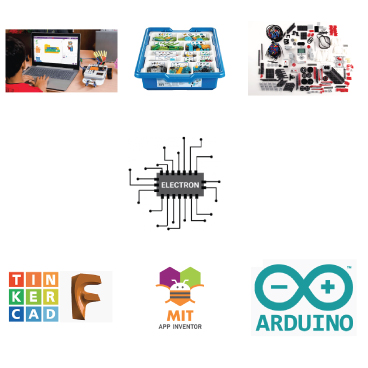
Combined Course
Learning the mentioned skills (such as Scratch, WeDo 2.0, EV3, 3D CAD modeling, electronics, MIT App Inventor, and building drones) can provide a number of benefits for kids. Some potential benefits include:
• Develops problem-solving skills: Many of these skills require students to think critically and creatively as they work through problems and design solutions.
• Enhances technical skills: Learning these skills can help students develop technical skills, such as using tools, working with circuits, and using computer software.
• Increases career options: These skills are used in a variety of industries, such as engineering, computer science, robotics, and design. Learning these skills may open up more career options for students in the future.
• Encourages creativity: Many of these skills allow students to be creative as they design and build projects, encouraging them to think outside the box.
• Builds confidence: Successfully completing projects using these skills can help students build confidence in their abilities and feel proud of their achievements.
• Promotes teamwork and collaboration: Many of these skills, such as WeDo 2.0 and MIT App Inventor, encourage teamwork and collaboration as students work together to build and program projects.
• Builds communication skills: Working on projects with others can help students develop their communication skills as they discuss and share ideas.
• Enhances critical thinking skills: Learning these skills can help students improve their critical thinking skills as they analyze problems and design solutions.
• Develops digital literacy: Many of these skills involve working with digital tools and technologies, which can help students develop their digital literacy skills.
• Increases interest in STEM fields: Learning these skills can spark an interest in science, technology, engineering, and math (STEM) fields and encourage students to pursue further study in these areas.